Overview
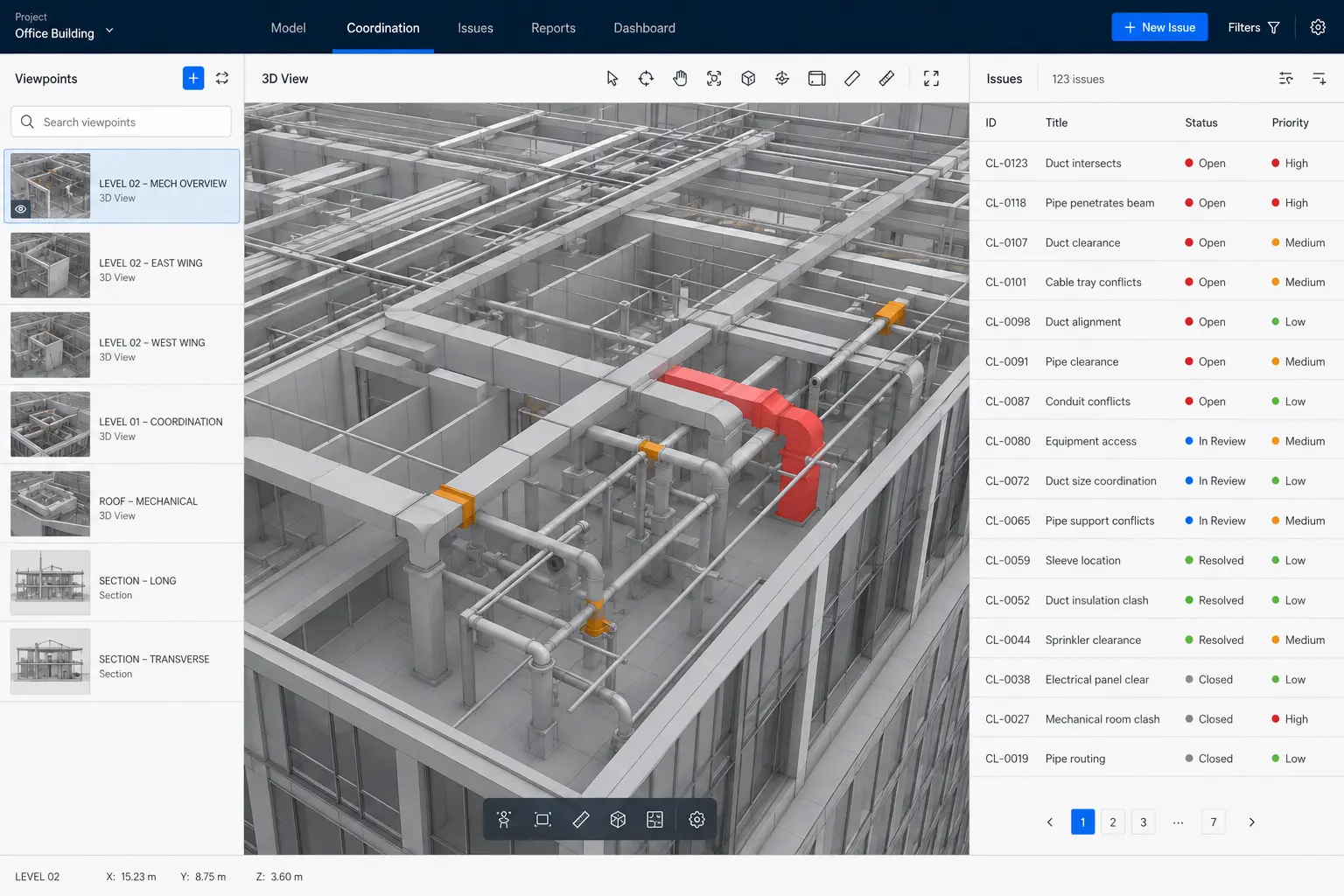
BIM Coordination & BCF Tools is a Revit API add-in developed to bring issue-based BIM coordination directly into the Revit environment. The tool supports BCF-based issue exchange, allowing coordination items to be imported, reviewed, created and exported while retaining model viewpoints and issue information. Users can create coordination issues from the current Revit view, capture visual viewpoints and snapshots, associate model elements with an issue, add comments and markups, and navigate back to the recorded coordination condition. The workflow is also designed to support linked-model coordination so issues involving consultant models can retain both the Revit Link reference and the linked element information. The objective is to reduce the need to manually reproduce coordination viewpoints and make BCF issue review more practical for BIM teams working directly inside Autodesk Revit.
Key features
- BCFZIP import and export — exchange BIM coordination issues using portable BCF packages.
- Create issues directly from Revit — capture a coordination issue from the active project view.
- Structured issue information — manage title, status, priority, assignee, due date and comments.
- Revit viewpoint capture — store the model viewpoint associated with each coordination issue.
- Camera and view restoration — navigate back to the recorded orientation when reviewing an issue.
- Section-box and crop support — retain focused coordination viewpoints using the relevant 3D section box or view crop.
- Issue snapshots — generate and store PNG preview images with coordination topics.
- Linked-model element tracking — retain references to both the Revit Link instance and linked model element where possible.
- Element selection from issues — identify and select model elements associated with an imported or created issue.
- Temporary isolate workflow — focus the Revit view on issue-related elements for faster review.
- Graphic color overrides — visually distinguish issue-related elements during coordination review.
- Markup tools — add coordination markup information to help communicate design and model issues.
- Text and leader markups — support annotation-style communication around captured viewpoints.
- Modeless coordination interface — keep the issue-management window available while continuing to work in Revit.
- Issue preview — review issue information and captured imagery before navigating into the model.